
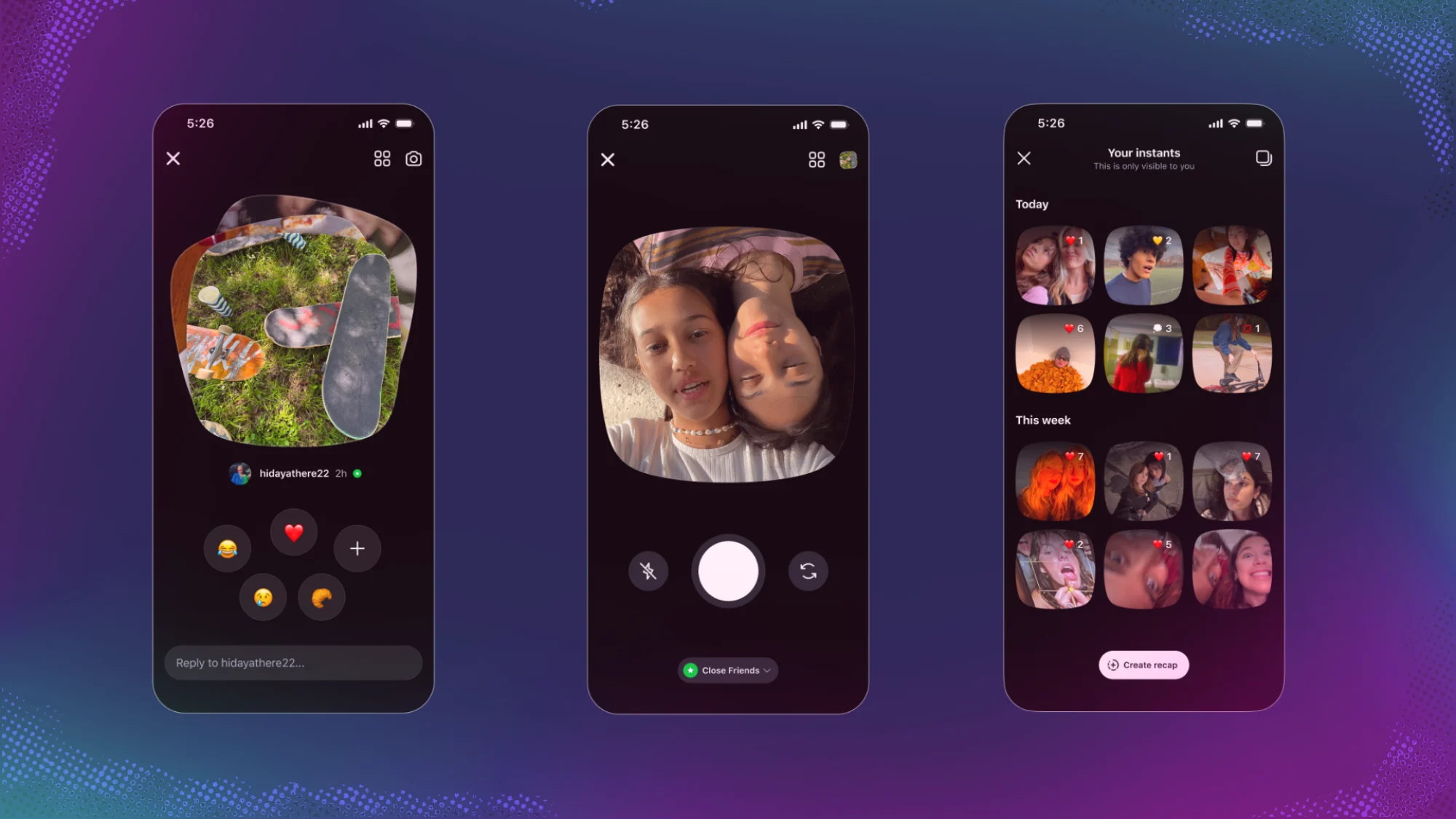
Web Desk: Meta Platforms Inc. launched its new real-time photo-sharing feature, Instants, to combat rival casual sharing apps like Snapchat and BeReal, yet the sudden addition has triggered a wave of pushback from users who want a cleaner direct messaging experience. The feature forces unedited, disappearing snapshots directly into direct messaging inboxes, causing immediate clutter that frustrates community members. Fortunately, users can fully remove the new feature from their layout by adjusting a few hidden account preferences.
The social media giant designed Instants to encourage raw, unfiltered connectivity among close friends and mutual followers. Because the tool operates inside the inbox, it populates a mini stack of unread photos in the lower-right corner of the direct messaging interface. This layout forces individuals to navigate through peer updates before accessing their standard messaging screen, which sparks widespread complaints regarding unwanted digital noise.
To eliminate the feature entirely, open the mobile application and tap the profile icon in the lower-right corner. Next, click the three-dash menu located in the top-right corner to open the main account controls. Scroll down to the content visibility section and select Content Preferences. From this menu, locate the toggle labeled Hide Instants in Inbox and switch it on to instantly clear the messaging screen.
This specific account toggle provides a permanent solution by removing the image stacks entirely, and it simultaneously blocks incoming photo updates from other accounts. For users who prefer a temporary break rather than a full shutdown, a quick gesture alternative exists. You can press and hold the active photo stack directly inside your inbox and swipe right to snooze incoming updates, while a simple left swipe restores the interface later.
Accidental transmissions represent another major issue during the global rollout because the system transmits images immediately after a user taps the shutter icon. To address this risk, Meta included a brief cancellation window that displays an Undo button directly underneath the capture screen. If a user misses this immediate window, they must navigate to their private archive folder, tap the four-box menu icon, and delete the file to pull the message back before recipients open it.
While the corporate rollout emphasizes spontaneous authenticity, the overwhelming user preference for control highlights a growing exhaustion with cluttered application designs. By activating the hidden inbox filter, platform users can successfully reclaim their original messaging workspace.
Read more: MG drops Binguo EV price in Pakistan